

On October 31, 2026, the DeepSeek Harness team published Super-agent design notes (in Chinese) on building more autonomous agent systems. Their starting point: single-task agents, coding agents above all, rarely need step-by-step supervision anymore, yet one person can usually follow only three to five active sessions. As they put it, a single task is limited by the model, and many tasks are limited by human attention.
Their answer is the Super-agent, an agent that is no longer tied to one manually opened session. It keeps context across sessions and pushes several tasks forward at once without them interfering. The post says up front that it describes an architecture, not current DeepSeek Harness features, and that parts of the design live in a prototype plugin.
Below is a summary of the design, followed by a comparison with a multi-agent product that is already live: what it covers today and what it doesn't.
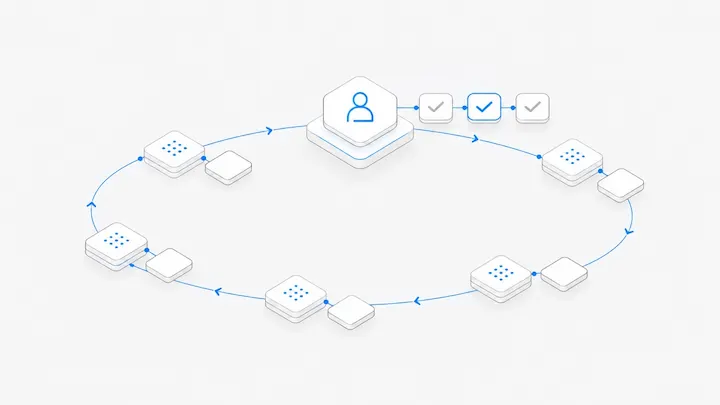
The four properties
The authors argue that a single ReAct loop can't deliver all four, and propose five modules.
Five modules, compared with Agent.Space
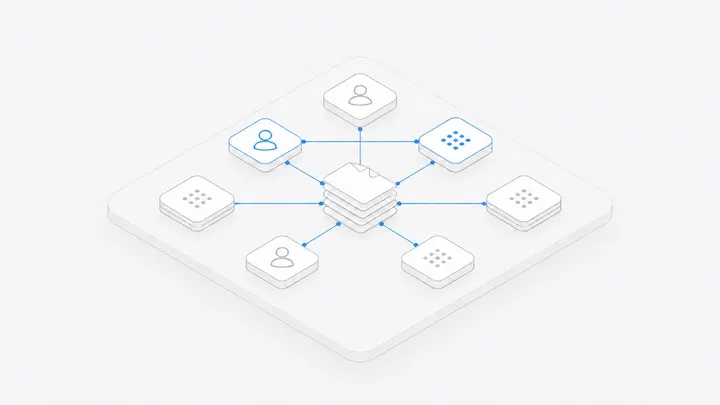
1. Two layers: one front door, parallel work behind it
DeepSeek's design: A resident Router handles every human-facing interaction and only dispatches work. It doesn't execute tasks and may not even have a shell tool. Workers run in isolated contexts, each focused on one task, and report back to the Router, which replies to the user.
Agent.Space today: Each member has their own Ghost. @Ghost in the Team discussion calls yours: ask how things are going or who is waiting on whom, or have it open a conversation and hand it to Claude Code or Codex. It is always there in the cloud, and you can also run it on your own computer, where it works with your own Claude Code or Codex. The actual work happens in conversations. Each one has its own agent and context, and conversations in a Workspace run in parallel.
The difference is visibility. DeepSeek wants sessions hidden inside the system so you only ever face one agent. Agent.Space keeps every conversation in view so members can open it and keep sending tasks. More on why below.
2. Event-driven: the agent finds work on its own
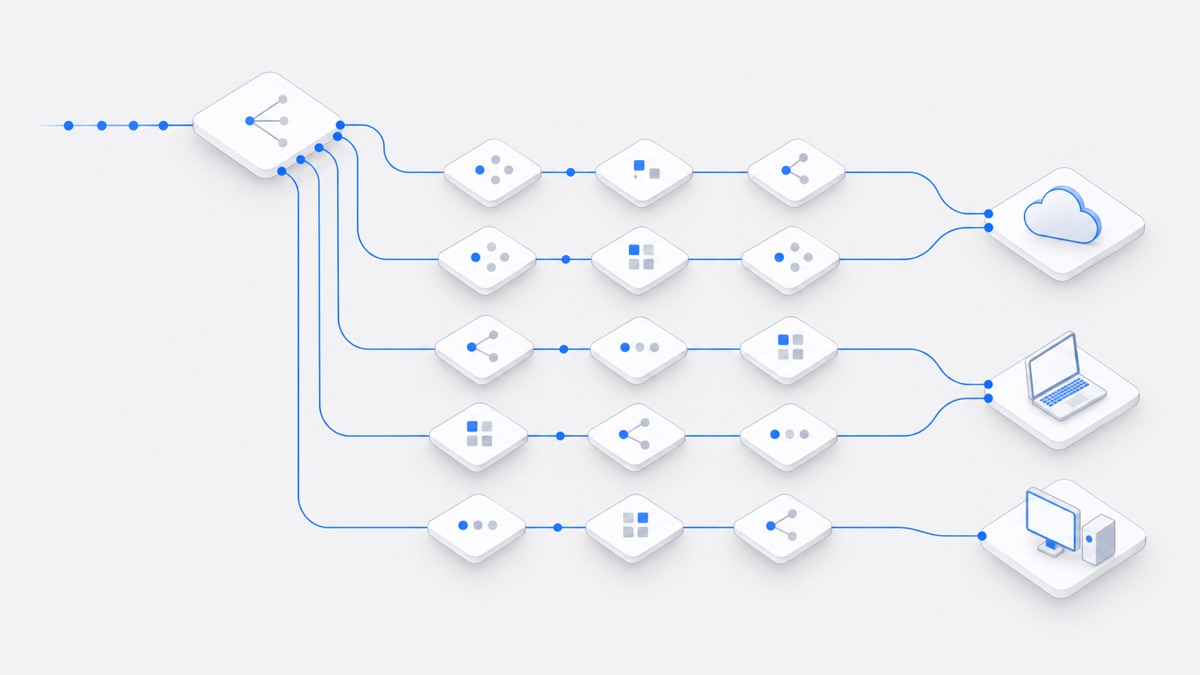
DeepSeek's design: Agents are driven by events (triggers) from group chats, email, calendars, code reviews, and CI, rather than by prompts typed one at a time. Code filters out noise before a model looks at what's left. Follow-up events in the same pull request or thread go straight to the Worker already handling it. The agent can even try to reproduce and fix a problem in the background and speak up only once it has something.
Agent.Space today: Cloud Workspaces have scheduled tasks that start agents at set times, and the Ghost can send reminders when it runs in the cloud. Outside events from chat, email, GitHub, or CI can't start a conversation yet. This is where Agent.Space is furthest from the Super-agent design.
3. Interaction: never blocked, matched to the channel
DeepSeek's design: Slow tool calls become asynchronous, so the agent can take new messages while background work runs. Replies match the channel: short in IM (one rule they validated is a 100-word cap per message), structured and complete in GitHub or email.
Agent.Space today: When a conversation is busy, new messages wait in a queue everyone can see. Members can reorder it, and the queue drains in order once the current turn ends. To move something else forward at the same time, open another conversation; conversations don't block each other. You can work from the web, the Mac and Windows apps, Claude Code, Codex, or Cursor (over MCP), and outside agents can use the A2A protocol to start a conversation in a connected Workspace, continue it, and fetch results. A single conversation can't yet take new messages while it is mid-turn.
4. Compute, state, and environment kept apart
DeepSeek's design: The compute that drives the agent runs in stateless cloud containers, and session state lives in a database. The execution environment (repositories, local credentials, internal services) stays where it is, with a lightweight daemon on each machine running commands. The agent outlives any single computer and can work on the user's own machine, which the post calls BYOM (bring your own machine).
Agent.Space today: Conversations, files, and members belong to the Workspace, so closing the browser loses nothing. Agents can work on three kinds of computer: a cloud computer that starts on demand and sleeps when idle; a member's computer running the Mac or Windows app, using that computer's files, login, and subscription; or a separately ordered dedicated Mac. The owner of a member computer decides whether only they can use it or other members can too.
5. A watchdog outside the system
DeepSeek's design: A separate watchdog session, woken on a timer, checks whether each Worker is making real progress and still heading the right way, and steps in when it isn't. Maintainers can ask it in plain language what went wrong.
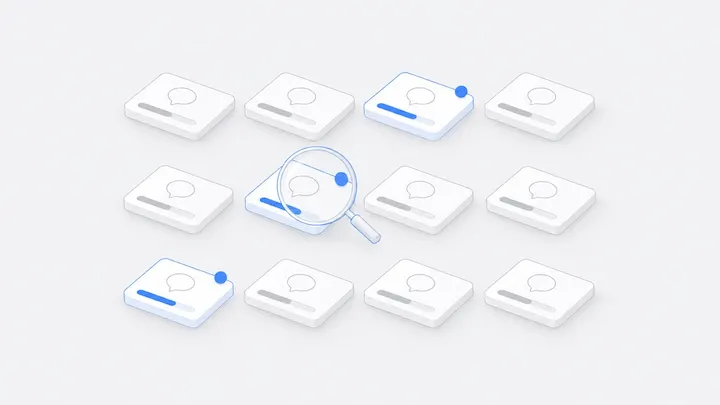
Agent.Space today: There is no separate watchdog agent. Progress surfaces in a few places instead. A blue count on the list tab and "Needs you" on the map mark conversations waiting for your approval or reply, or with results you haven't seen. The dynamic view map shows which conversations are running, waiting for approval, or stuck. Judging whether work has drifted is still a human job.
The disagreement: should sessions be hidden?
DeepSeek argues that making users manage sessions is mostly a habit inherited from low-level LLM APIs, and that a session should be an implementation detail. In a post on reorganizing Manus (in Chinese), hidecloud reports nearly the opposite: the session itself becomes the object a team works on together. Someone raises a problem, a designer proposes a solution, an engineer builds it, and a product manager keeps it running, all in one session.
The two views fit different users. Working alone, fewer sessions to manage is simply easier. In a team, people need to check what an agent did, take over halfway, and approve key steps, and each of those needs something they can see and step into. So Agent.Space keeps both layers: each member's Ghost as the front door, and conversations underneath that anyone on the team can open and continue. See how teammates share one agent conversation.
Three open questions from the post
How do people work with agents beyond a chat window?
The post calls chat-centered interaction a matter of path dependence and suggests more work could happen in domain tools such as GitHub issues and pull requests. Agent.Space currently lays many conversations out on one map, grouped and marked by status, and pulls out the ones that need you. Working with agents directly inside GitHub isn't built yet.
Where are the context boundaries, and how do agents talk across them?
According to the post, deciding how to deploy Super-agents amounts to drawing boundaries for shared and isolated context; collaboration across those boundaries is agent-to-agent communication. In Agent.Space, a Workspace is such a boundary: members, files, and conversations are shared inside it. Agents from outside connect with a member's authorization and work in the chosen Workspace over MCP or A2A.
What about security and privacy?
The post warns that a cloud agent connected to users' machines puts every connected machine at risk if it is compromised, and that credentials shouldn't enter the model's context. In Agent.Space, Workspace roles limit who can send tasks and who can only read. Computer owners decide whether others can use the agent on their machine. Whoever sends a task picks its permission mode and answers its approval requests, and the computer owner cannot answer for them. Members can use model API keys the owner connects but can't see them. If a task is sent with "Allow everything" or full access, commands, network access, and edits outside the folder all run without approval, so check the mode before sending.
Try it
- Create a Workspace and open two or three conversations with Claude Code, Codex, or DeepSeek Harness.
- In the Team discussion, ask @Ghost who is waiting on whom, or have it open a conversation for Codex.
- To let agents use files on your computer, install the Mac or Windows app and connect that computer to the Workspace.
- The next day, start with "Needs you": approvals, replies, and results to check.
For evaluating DeepSeek Harness in Agent.Space, see this guide. For the broader idea, see What is multiplayer, multi-agent collaboration?
FAQ
How is a Super-agent different from an agent team or subagents?
According to the DeepSeek post, a typical agent team breaks down one complex task, so its lead has to understand the details and coordinate constantly. A Super-agent's Router only handles how tasks relate to each other and where they go; it stays out of each task's internals. A Worker can still spawn subagents or be an agent team itself.
Can I use a Super-agent today?
DeepSeek says parts of the design are implemented in a prototype plugin meant to validate the approach, not in an official product. If you want to try it, start with a test project that holds no sensitive data.
Won't a single Router become a bottleneck?
The post includes a stress test. As decisions arriving rose from about 1 to about 40 per minute, the average batch grew from 1.0 to 2.8 events and request time rose only from 2.5 to 3.9 seconds, so time per decision fell from 6.4 to 1.6 seconds. Events that pile up during one call are merged into the next. The authors conclude that at their current team size the Router doesn't need to be split.